Shown with a sample firm.
Ask your firm
Your team asks. It answers from your own records.
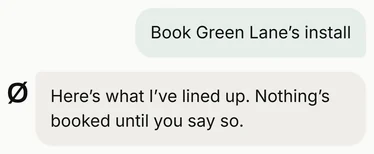
Ask is in the Othyn app, for everyone in your team, on their phone or the office laptop. Ask it about a job, a customer, an invoice or the diary, and it answers from your own records, saying where each answer came from. Ask it to get something done, like booking an install, and it does the steps, then waits for your OK.
Try asking it
Pick who's asking, then tap a question. Everyone in the team can use it, and each person only sees what their role allows.
Owner
Paperwork that could cost you
This week
- Mill Close: MCS certificateDue in 2 working days. The grant can’t be claimed until it’s raised.Filled in, Jess is checking it
- Birch Way: warranty cardDue Friday, or the cover drops to 12 months.Filled in, ready to send
- Mrs Carter: invoice34 days overdue.Reminder drafted
Needs your OK
Reminder sent to Mrs Carter.
Green Lane install
Mr and Mrs Shah · 9kW air source
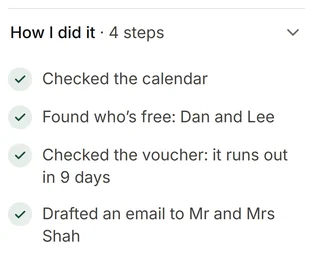
- Checked the calendar
- Found who’s free: Dan and Lee
- Checked the voucher: it runs out in 9 days
- Drafted an email to Mr and Mrs Shah
- Monday 26 to Wednesday 28 OctoberDone 3 days before the voucher runs out
- Dan and LeeBoth free all three days
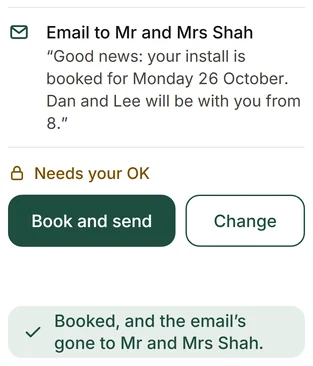
- Email to Mr and Mrs Shah“Good news: your install is booked for Monday 26 October. Dan and Lee will be with you from 8.”
Needs your OK
Booked, and the email’s gone to Mr and Mrs Shah.
Unpaid from September
3 jobs · £6,580
- Found September’s finished jobs in the job software
- Matched them to unpaid invoices in the accounts
- Checked the inbox for anything they’ve said
- Mrs Moore20 days overdue
Boiler swap · £2,380
- Mr Ellis5 days overdue
Boiler swap · £1,960
- Mr FletcherPaying Friday
Boiler swap · £2,240His email, Monday: “I’ll pay on Friday.”
2 payment reminders
From the office inbox
Needs your OK
Sent. I’ll tell you when they pay.
It checked the paperwork and invoices against their deadlines, and what each one would cost if it slipped. The reminder waits for Mark's OK.
It checked the calendar, who's free and the voucher, then drafted the email to the customer. Nothing's booked until Mark says yes.
It took last month's finished jobs from the job software, matched them to unpaid invoices in the accounts, and found a promise to pay in the inbox. The two reminders wait for Mark's OK.
Office
3 new emails
From the office inbox
The heat pump connection is approved.
Filed in Green Lane’s job. The install can be booked now.
Asking when their install will be booked.
Needs your OK
Want this year’s gas safety check at Flat 3 booked before the record runs out.
Needs your OK
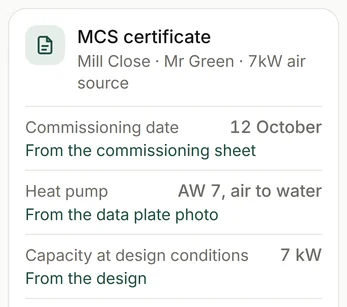
MCS certificate
Mill Close · Mr Green · 7kW air source
- Commissioning date12 OctoberFrom the commissioning sheet
- Heat pumpAW 7, air to waterFrom the data plate photo
- Capacity at design conditions7 kWFrom the design
- Estimated yearly heat13,400 kWhFrom the performance estimate
- Flow temp and SCOP45°C, 3.6From the design and the product list
- Funded byBoiler Upgrade SchemeFrom the voucher
Also filled in: the customer, the address and MPAN, the Building Regs notice, the grid connection and the guarantee.
Needs your OK
Handover pack
Elm Road · Mrs Patel
- MCS certificateRegisteredReady
- Commissioning sheetFrom Dan’s voice noteReady
- Warranty registrationRegisteredReady
- Benchmark checklistFilled in at commissioningReady
- Before and after photosFrom the job’s folderReady
- Heat pump manualFrom the makerReady
- Building Regulations certificateDue in 18 daysTo follow
Needs your OK
It read the office inbox, filed the DNO's approval in Green Lane's job, and drafted the two replies for Jess to check and send.
It filled in each field from the job's own records, and says where each one came from. Jess checks it, then raises it from her MCS account.
It gathered the job's certificates, sheets, photos and manual into one pack, and notes what's still to come.
Engineer
Data plate, Chapel Street
Warranty registration
Chapel Street · Mr Brooks
- Heat pumpAir source, 8kW
- ModelAW 8
- Serial number2610 4471 0832
- Fitted byDan and Lee
Commissioning sheet
Chapel Street · Mr Brooks
- Flow temperatureFilled in
- Return temperatureFilled in
- System pressureFilled in
- Controls set upFilled in
It read the plate and filled in the warranty registration, ready for Jess to check.
It turned Dan's readings into the commissioning sheet.
Each person only sees what their role allows. Money stays with the office and the owner.
While you were asleep
It keeps watch overnight. When something changes, it has a fix ready for your OK by morning. Ask doesn't send anything on its own.
For example
At 21:40 a merchant emails: the boiler for Thursday's swap will come a day late. By morning, Ask has a swap ready, with Thursday's and Friday's jobs switched and both customers' messages drafted.
- Inbox
- Calendar
- Job software
Needs your OK
How it works
-
Step 1
Ask in your own words.
Type it, say it, or send a photo.
-
Step 2
It joins up your apps.
It checks each app it needs, puts the answer together, and shows each step it took.
-
Step 3
You say yes.
Anything it drafts, like a reply, a booking or a reminder, waits for your OK.
What it reads
Your job software: jobs, customers, dates, photos and notes.
Your accounts: invoices, payments and what's still owed.
Your inbox: emails from customers, suppliers and the DNO, matched to their jobs.
Your calendar: who's where, and who's free.
If another app can export its data, it can read that too. Each answer shows which of these it used.
Questions
Can my engineers use it?
Yes. Everyone in the team has it in the Othyn app, and each person only sees what their role allows.
Will it send things without me knowing?
No. Anything Ask drafts to send, like a reply, a booking email or a reminder, waits for your OK first.
Where do its answers come from?
Your own records: your job software, your accounts, your inbox and your calendar. Every answer shows which.
Can it answer from more than one app at once?
Yes. It joins your job software, accounts, inbox and calendar, and shows which each part came from.
Does it do anything overnight?
It keeps watch and gets things ready, like a fix for a late delivery. Anything it drafts to send waits for your OK.
See the other parts
-
The paperwork filled in, for your office to check and send
From the quote and contract to the certificates and handover pack, on heat pump, boiler, solar and battery jobs, filled in from the job's own details.
-
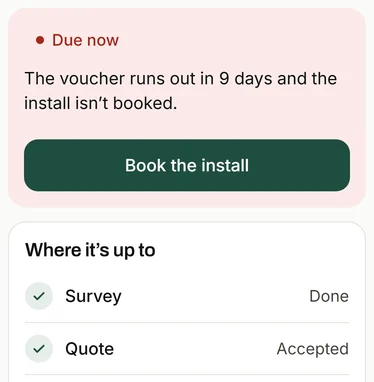
Every job's deadlines
From survey to paid, every job's deadlines in one place, with a heads-up before each one's due.
-
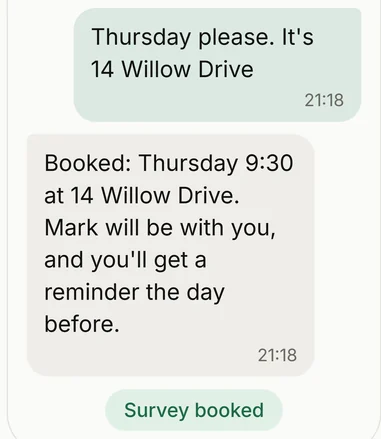
Enquiries answered, and surveys checked first
Enquiries get the right questions and a rough price before anyone drives out. A good fit gets a survey, and the rest get a phone call.
-
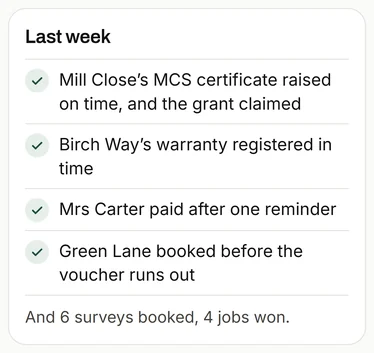
The Monday message
One short note every Monday: what got done, what's coming up, and one thing worth doing.
-
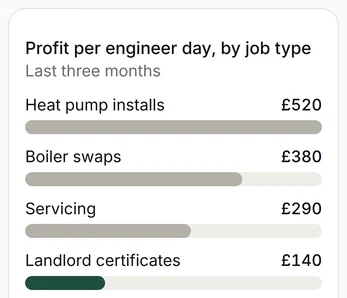
What each job made
Every job set against the engineer days it took, so you can see which work pays.
-
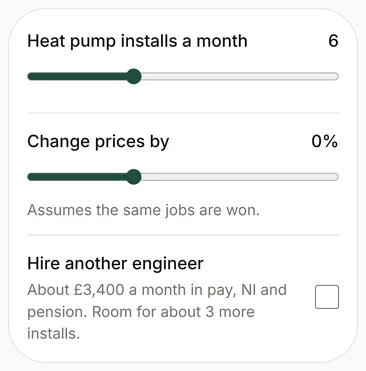
The what-if planner
Try a hire or a price change on your own numbers before you commit.
Get in touch
To see how it would work for you, email or call. It starts with a conversation about how your firm works, and what takes up your time.
Or reply to the message this link came in.